

Both the 10 Recumbent Bike and AirGlide 16 Elliptical come with a free trial of iFIT, NordicTrack’s streaming workout platform, and a lot of older adults aren’t sure whether it’s worth paying for once the trial ends. Here’s a clear, no-hype look at what iFIT actually includes on these two machines specifically, which parts are genuinely useful for older users, and how to decide if the ongoing cost makes sense for you.
What iFIT Actually Includes
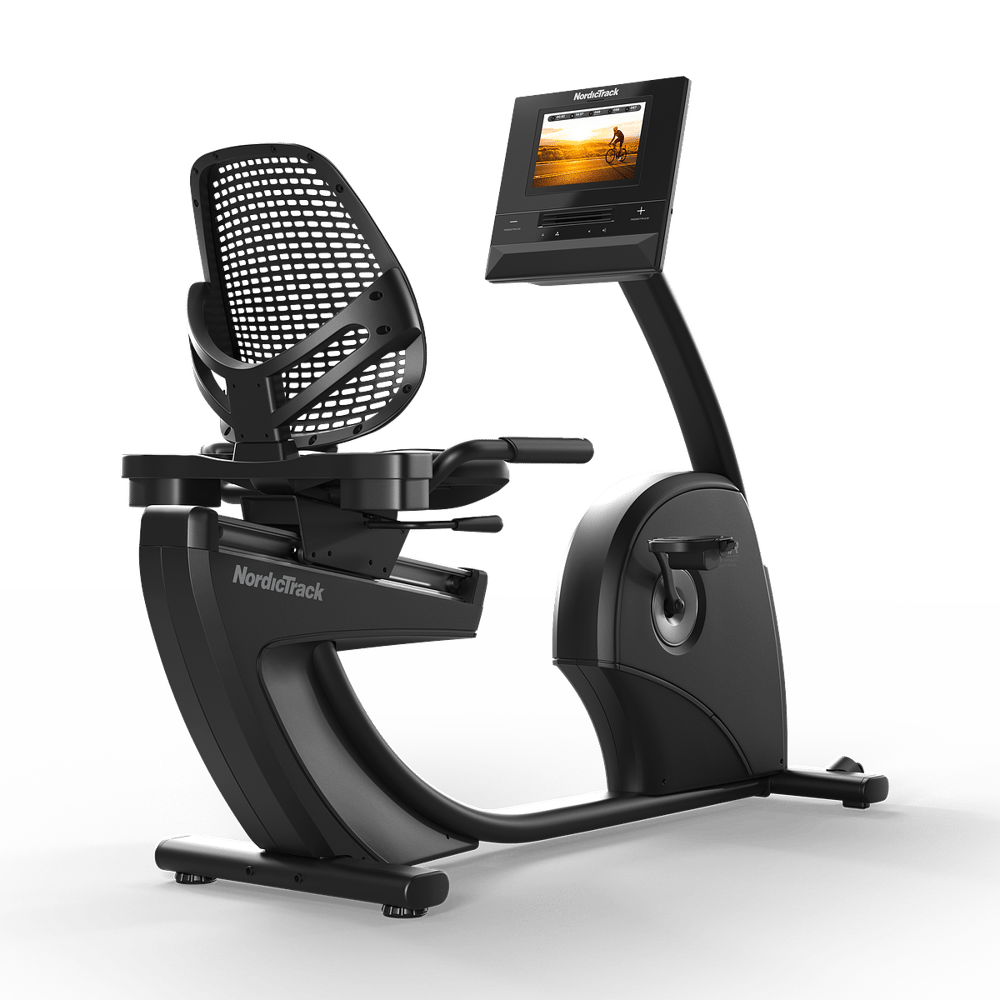
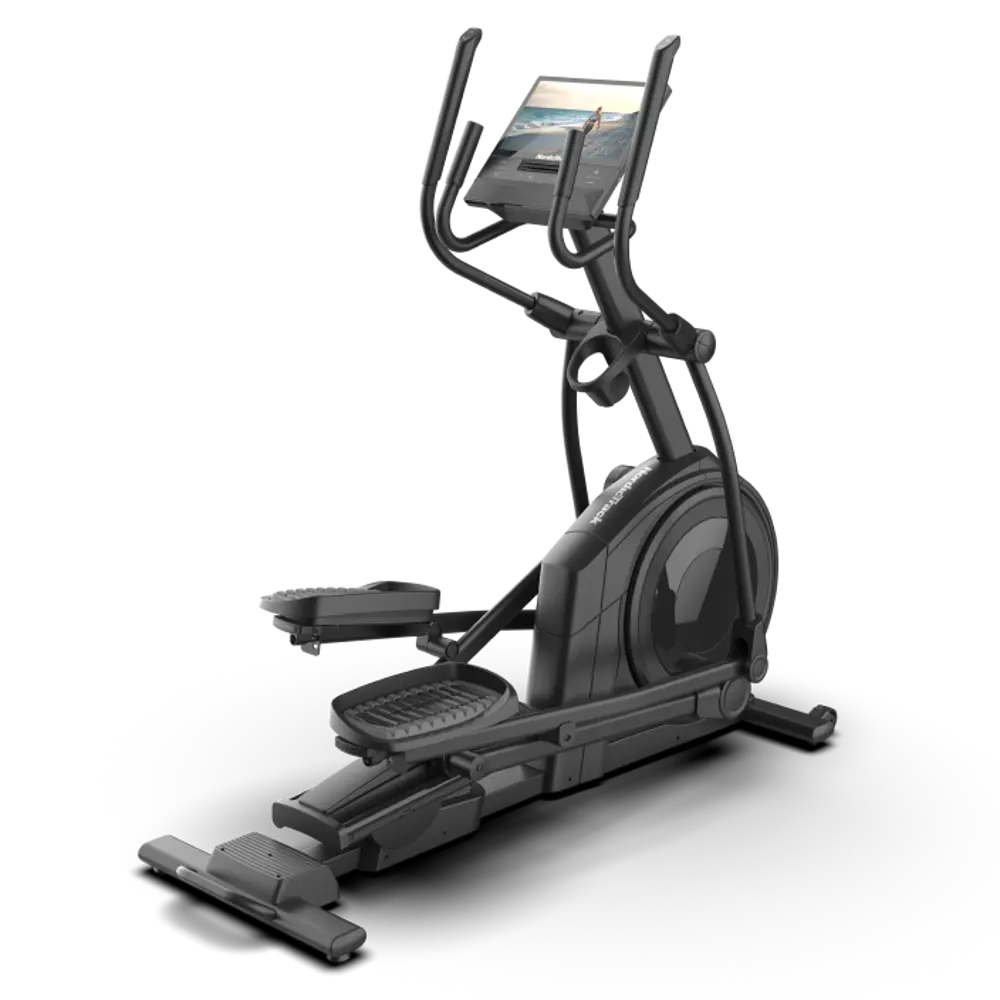
iFIT is a video-based coaching platform baked into your machine’s touchscreen — 10″ tilting HD on the 10 Recumbent Bike, 16″ tilting HD on the AirGlide 16 Elliptical. When you start a class, an instructor talks you through the workout while the machine automatically adjusts resistance (and incline, on the elliptical) to match — so on the recumbent bike, for example, resistance might ease up during a “recovery” segment and increase during a harder push, all without you touching a button. Classes range from short 10-minute rides to hour-long guided sessions, and they’re filtered by trainer, intensity, terrain type, and goal, spanning more than 10,000 workouts across global locations, studio classes, yoga, and strength.
SmartAdjust, Follow Trainer, and AI Coach Explained
Both machines share the same three smart features, and it’s worth knowing what each one does. Follow Trainer automatically syncs your bike’s resistance or your elliptical’s incline, decline, and resistance to your instructor’s pace in real time, so you’re not reaching for a button mid-class. SmartAdjust goes a step further, personalizing each workout to your fitness level based on the adjustments you’ve made in your own past sessions. AI Coach (currently in beta) is a personal fitness assistant that schedules your workouts and keeps you accountable, all from your phone — useful if you tend to lose momentum without some outside structure.
Low-Impact and Senior-Friendly Program Tracks
The feature most relevant to older users is iFIT’s library of lower-intensity programming, often labeled by trainer focus rather than an explicit “senior” tag — look for classes emphasizing recovery, mobility, gentle intervals, or beginner-level rides. Several of iFIT’s trainers specifically coach for form, breathing, and joint safety rather than speed or intensity, which is a meaningfully different experience than a generic spin class. Instructors will often cue posture, seat position, and pacing in a way that’s genuinely useful if you’re new to structured cardio.
See the 10 Recumbent Bike and AirGlide 16 Elliptical, both with iFIT trials included
View NordicTrack Deals →Do You Need iFIT to Use Your NordicTrack Machine?
No — this is one of the most common misconceptions we hear. Both the 10 Recumbent Bike and AirGlide 16 Elliptical work fully in manual mode without any subscription. You control resistance (and incline, on the elliptical) yourself using the handle-integrated controls, and the touchscreen can typically still show basic stats like time, distance, and heart rate. Plenty of long-term owners use their machine exclusively in manual mode, especially once they’ve settled into a familiar routine and prefer watching their own shows or listening to podcasts instead of a guided class — both machines support streaming services directly on-screen for exactly this.
Weighing the Subscription Cost
| Plan | Typical Cost | Worth It If… |
|---|---|---|
| Free trial (included) | 1 month included with either machine | You want to explore before deciding |
| Monthly iFIT membership | ~$39-$44/month | You value variety and guided coaching week to week |
| Annual iFIT membership | Discounted vs. monthly, billed yearly | You’ve tried it and know you’ll use it long-term |
| Manual mode, no subscription | $0 | You prefer self-paced workouts or your own entertainment |
Other iFIT Features Worth Knowing About
Beyond guided classes, iFIT includes global workout locations where you can pedal or stride through scenic video routes filmed around the world, which some older users find genuinely motivating on days when the idea of “just exercising” feels uninspiring. It also tracks workout history and progress over time and syncs with Strava, Garmin Connect, Google Fit, and Apple Health, and family plans let multiple household members use the same subscription across different pieces of equipment, which can make the per-person cost more reasonable if more than one person in the house is using NordicTrack machines.
Setting Up iFIT for Ease of Use
A few settings adjustments make a real difference for older users. Increase the on-screen text size in the accessibility settings if available, save a handful of favorite low-impact instructors so you’re not scrolling through the full catalog each time, and consider connecting a Bluetooth heart rate strap if your doctor wants you monitoring a specific target zone — iFIT will display live heart rate data during class if a compatible monitor is paired.
Explore the AirGlide 16 Elliptical with iFIT trial included
Shop the AirGlide 16 →iFIT vs. Free Alternatives
Before committing to an ongoing subscription, it’s worth knowing what free alternatives exist. Manual mode, as covered above, costs nothing and lets you set your own resistance (and incline, on the elliptical) while watching regular TV, streaming a show directly on the touchscreen, or listening to music or podcasts — a perfectly effective approach for many long-term users. Free workout videos on platforms like YouTube can also provide some structure and pacing cues, though they won’t sync automatically with your machine’s resistance and incline the way iFIT’s paid classes do.
The core trade-off is convenience and automation versus cost. iFIT’s real value is in not having to think about pacing or resistance changes yourself — the instructor and SmartAdjust handle that in real time. If you’re someone who finds it motivating to have a class-like structure and enjoys variety in scenery and instructors, the subscription often earns its cost. If you’re someone who’s happy setting a comfortable resistance and mentally checking out with your own entertainment, manual mode covers your needs completely for free.
Real Talk: When to Cancel
A practical way to decide is to track your own usage during the free trial. If, after the first month, you notice you’re consistently opening guided classes and following along with instructor cues, the subscription is likely worth continuing. If you notice you’ve defaulted to manual mode more often than not, or you’re using the machine primarily during phone calls or while watching your own shows, canceling and switching to manual mode won’t cost you anything in terms of workout quality — the machine performs identically either way, resistance-wise, once you’re pedaling or striding.
There’s no penalty for canceling and re-subscribing later if your preferences change, for example during a stretch when you want more structure or variety. Many owners cycle in and out of the subscription seasonally rather than treating it as an all-or-nothing decision.
Finding the Right Instructors and Classes
Not all iFIT trainers coach the same way, and finding instructors whose style actually fits you makes a real difference in whether the subscription feels worthwhile. Some trainers lean heavily into high-energy motivation and fast-paced cueing, which can feel more stressful than helpful for someone easing into a new routine. Others take a calmer, more instructional approach, spending more time on form, breathing, and pacing — these tend to be the better fit for older users, particularly in the first few months of a new routine.
Spend your free trial period sampling a handful of different instructors and class types rather than committing to the first class you see. Filter by “low impact,” “beginner,” or “recovery” tags where available, and note which instructors’ voices and coaching styles you find genuinely motivating rather than draining. Saving three or four favorite instructors to return to makes future sessions easier to plan, since you won’t need to browse the full catalog each time you sit down for a workout.
iFIT’s Global Workout Locations Explained
One of iFIT’s more distinctive features is its library of video-based workout routes filmed in real locations around the world — trails in national parks, city streets in places like Rome or Kyoto, coastal roads, and more. During these classes, your machine’s resistance and incline automatically adjust to match the terrain shown on screen, so a hill in the video translates to increased resistance on the 10 Recumbent Bike, or increased incline on the AirGlide 16 Elliptical, in real time. For older adults who’ve traveled extensively and enjoy revisiting familiar places, or those who simply find scenic variety more engaging than a static gym backdrop, this feature adds a genuine layer of enjoyment that can make daily exercise feel less like a chore.
These location-based workouts are available at a range of intensities, so you don’t need to be an advanced exerciser to use them — many feature relatively flat, gentle routes suitable for a leisurely low-impact session, in addition to more demanding hillier terrain for those wanting a bigger challenge.
Sharing iFIT Across a Household
If more than one person in your home plans to use NordicTrack equipment — say, you and a spouse each have your own machine, or you’re sharing a single machine — iFIT’s family plan option allows multiple profiles under one subscription, each tracking individual progress, favorite instructors, and workout history separately. This is generally more cost-effective than each person maintaining a separate individual subscription, and it means everyone’s saved classes and stats stay personalized even when sharing equipment or an account.
A Balanced Take on the Subscription Decision
There’s no universally correct answer to whether iFIT is worth the ongoing cost — it genuinely depends on how you like to exercise. What we’d encourage is resisting any pressure to decide immediately upon setup. Use the full free trial, sample a range of class types and instructors, and pay honest attention to how often you’re actually choosing guided classes over manual mode. That real usage pattern, more than any marketing claim, is the most reliable signal for whether the subscription earns its place in your monthly budget.
Troubleshooting Common iFIT Questions
New users occasionally run into a few recurring points of confusion when setting up iFIT for the first time. If the touchscreen won’t connect to Wi-Fi, double-check that your home network’s password was entered correctly and that the machine is within reasonable range of your router — a weak signal can cause classes to buffer or fail to load properly. If a paired heart rate monitor isn’t showing data during a class, confirm it’s a Bluetooth-compatible model and that it’s been re-paired after any recent console software update, since updates occasionally reset paired device connections.
If you cancel your subscription and later decide to resubscribe, your workout history and saved favorite instructors are typically preserved and will reappear once your account is reactivated, so there’s no need to worry about losing that progress data during a temporary pause.
Putting It All Together
iFIT is a genuinely useful tool for a lot of older adults, particularly in the first several months of a new routine when guided pacing and instructor coaching help build good habits and proper form. But it’s an optional layer on top of a machine that works perfectly well on its own. Whether you keep the subscription long-term, use it seasonally, or settle into manual mode permanently, the underlying value of the 10 Recumbent Bike or AirGlide 16 Elliptical — comfortable, low-impact, joint-friendly cardio you can do at home — doesn’t change either way.
Frequently Asked Questions
Is iFIT required to use the NordicTrack 10 Recumbent Bike or AirGlide 16 Elliptical?
No. Both machines work in manual mode without any subscription. iFIT adds guided classes, SmartAdjust, and Follow Trainer, but isn’t necessary for basic use.
Does iFIT have workouts specifically for older adults?
iFIT doesn’t always explicitly label classes “senior,” but it offers a range of low-impact, beginner, and recovery-focused programs led by trainers who coach for form and pacing rather than intensity.
How much does iFIT cost after the free trial?
iFIT typically costs around $39-$44 per month, with discounted rates available on annual plans. Pricing can vary by promotion, so it’s worth checking current offers.
What’s the difference between SmartAdjust and Follow Trainer?
Follow Trainer syncs your machine’s settings to your instructor’s pace in real time. SmartAdjust goes further, personalizing the intensity of a workout based on your own past performance and adjustments.
Can I cancel iFIT and still use my NordicTrack machine normally?
Yes. Canceling only removes access to guided classes and automatic resistance adjustments — both the 10 Recumbent Bike and AirGlide 16 Elliptical continue to work fully in manual mode, with no loss of core functionality.
Get guides like this in your inbox
Medicare changes, money tips, health guides and deals for adults 55+. Free, from Senior Affair Magazine.
Free. Unsubscribe anytime. Privacy policy.